Getting your website indexed by Google is the cornerstone of any online visibility strategy. In 2026, with the explosion of AI-generated content and an increasingly saturated web, Google has become more and more selective about which pages it chooses to crawl and index. Publishing an article and seeing it appear in search results a few hours later is no longer a given. Many site owners, agencies and SEO professionals are frustrated to find their new pages stuck in the "Discovered – currently not indexed" or "Crawled – currently not indexed" status in Google Search Console.
This can be devastating for the return on investment of your digital marketing campaigns. If a page isn't indexed, it simply doesn't exist as far as the search engine is concerned. As a result, it will generate no organic traffic, no conversions and no revenue. That's why mastering advanced techniques to force and speed up the indexing of your content has become essential. Being proactive is now the norm: you need to guide crawlers, make their job easier and prove that your content deserves its place in the index.
In this complete guide, we'll take an in-depth look at how Google indexing works and give you concrete technical and semantic strategies to help every strategic page on your site get picked up faster. Whether you run a small blog or a large ecommerce site, these methods will help you take back control of your organic visibility.
Understanding how Google indexing works in 2026
The crawling and indexing process
To understand how to force indexing, you first need to understand the journey of a web page, from its creation to its appearance in the SERPs (Search Engine Results Pages). The process breaks down into three fundamental stages:
- Discovery: Googlebot finds your page's URL, often through an internal link, an external backlink or your XML sitemap.
- Crawling: The bot downloads the page's HTML code and content to analyze it in detail.
- Indexing: If the page meets Google's strict quality and relevance criteria, it is added to the index, a gigantic worldwide database.
However, Google doesn't crawl everything all the time. It allocates each site a "crawl budget," which depends on how well its server can respond and how much interest Google has in its pages (popularity, update frequency). If your site is slow or riddled with errors, Googlebot will limit its visits, which delays the indexing of your new content. This is where a regular technical SEO audit becomes crucial to make sure no technical obstacle gets in the way of the bots.
Key takeaway: a new page can wait a long time before being indexed. On large sites, optimizing crawl budget is not optional.
Why does Google refuse to index some pages?
It's common to see pages ignored by Google. There are many reasons, but they generally come down to content quality and technical issues. The leading cause of non-indexing is thin content. If your page adds no value compared to what already exists on the web, Google will see no point in storing it on its servers. Likewise, duplicate content, whether internal or external, dilutes the relevance of your pages and pushes Google to choose just one of them and ignore the others.
Technical problems are also major obstacles. A meta robots tag mistakenly set to "noindex," an overly restrictive robots.txt file or repeated server errors (5xx) can block access to your pages. In addition, a slow server slows down crawling, and with mobile-first indexing, Google crawls and indexes the mobile version of the page: content missing from the mobile version won't be taken into account. A complete SEO platform lets you monitor these errors every time the site is crawled and act before they affect your visibility.
The impact of crawl budget on large sites
For ecommerce sites, media outlets and directories with tens of thousands of pages, crawl budget management is the name of the game. Googlebot can't crawl every page of a large site every day. It prioritizes the most important pages, usually those that receive the most internal and external links. If your site architecture is deep (it takes many clicks to reach a page from the homepage), deep pages may never get crawled.
To optimize this budget, you must block crawling of useless pages via the robots.txt file. Here are the types of pages to exclude first:
- Faceted filter pages that generate thousands of dynamic URLs.
- The site's internal search results pages.
- Outdated archives or tag pages with no added value.
- Session or sorting URL parameters.
By focusing Googlebot's attention on your strategic pages, you help it crawl them more often, and therefore pick up their updates faster.
Official methods to force indexing
Using Google Search Console effectively
The most direct and best-known tool for requesting a page's indexing is still the URL Inspection tool in Google Search Console (GSC). By entering the exact URL of your new page, you can check its current status. If it isn't indexed, the "Request indexing" button adds this URL to Google's crawl queue. Google states that this guarantees neither indexing nor a specific timeframe. In practice, a good-quality page submitted this way is often crawled quickly.
However, this method is manual and limited by a daily quota that Google doesn't publish. It's ideal for occasional blog posts or freshly updated strategic pages, but it becomes impractical for sites publishing hundreds of pages a day. To follow how your pages perform once indexed, a rank tracking tool is essential for checking that they rank well for your target keywords.
Key takeaway: the Search Console URL Inspection tool is your direct line to Googlebot. Save it for your most strategic content: it often speeds up crawling, without guaranteeing it.
The Google Indexing API: restricted use
Google offers an Indexing API, but only for two types of pages: job postings (JobPosting structured data) and livestream videos (BroadcastEvent embedded in a VideoObject). It lets you notify Google directly when these pages are added, updated or removed, and Google then crawls them as a priority.
Google clearly states that the API must not be used for other content. Using it for articles or product pages goes against its guidelines: requests may be ignored, and Google warns that abuse can lead to access being revoked. For a job board or livestreaming site, setting it up requires development skills (a Google Cloud project, a service account, a script to send the requests). For every other site, rely on your sitemap, internal linking and the URL Inspection tool.
The crucial role of a dynamic XML sitemap
The XML sitemap is your site's road map for search engines. It lists all the URLs you want indexed, along with metadata such as the last modification date (lastmod). To force indexing, a static sitemap generated once a year isn't enough. You need a dynamic sitemap that updates automatically every time content is published or modified.
It's also recommended to split your sitemaps if your site exceeds 50,000 URLs (the maximum per file). Creating sitemaps by category (articles, products, categories) or by date makes it easier for Googlebot to digest the information. Don't forget to submit your sitemap index URL in Google Search Console and reference it in your robots.txt file. Another good practice is to fill in the "lastmod" tag rigorously: Google uses it to schedule crawling of updated pages, provided the dates are reliable.
Optimizing your structure and internal linking
The importance of a silo architecture
Your site's architecture plays a fundamental role in how Google discovers and understands your pages. A silo structure (or topic cluster) means grouping your content into self-contained themes. Each silo has a pillar page (or parent page) that links to child pages, which in turn link to grandchild pages, and so on. Cross-links between different silos are kept to a minimum so as not to dilute the theme.
This hierarchical, semantic organization makes Googlebot's job much easier. When it crawls a strong pillar page, it naturally follows the links to deeper pages and quickly discovers new content. This structure also reinforces the semantic relevance of the whole silo, increasing the chances that Google will consider your pages worth indexing. A complete SEO audit of your site should always include an in-depth analysis of your information architecture.
Internal linking as a discovery accelerator
Internal linking is one of the most underrated weapons for forcing indexing. Each internal link acts as a vote of confidence and an access path for bots. When a new page is published, it is often an "orphan" (no internal link points to it), which makes it invisible to Googlebot unless it finds the page through the sitemap.
To speed up indexing, get into the habit of linking from your most popular and most frequently crawled pages to your new content. Use relevant, optimized anchor text. Dynamic blocks are excellent ways to automate this internal linking:
- Recent posts: Displayed on the homepage or in the blog sidebar.
- Similar products: A must on ecommerce product pages.
- You may also like: To keep readers reading at the end of an article.
- Breadcrumbs: To make it easy to move back up to parent categories.
Key takeaway: an orphan page is much less likely to be indexed quickly than a page that receives internal links from semantically related pages.
Reducing the depth of strategic pages
A page's depth is the number of clicks needed to reach it from the homepage. The deeper a page is, the less likely it is to be crawled and indexed quickly. As a general rule, no strategic page should be more than 3 clicks from the homepage.
If you notice that some of your important pages are struggling to get indexed, check their depth. You can use crawling tools to map your site. To reduce depth, you can flatten your architecture, add links to the main navigation menu or the footer, or create "hub" pages or an "HTML sitemap" that list and link to your most important content. Clear, shallow navigation makes crawling easier.
External signals to speed up indexing
Quality backlinks as proof of trust
While internal linking is crucial, external links (backlinks) remain an important trust signal for Google. When a reputable external site links to your new page, it tells Google that your content deserves to be discovered. Crawlers also often discover new pages by following these links.
Getting a backlink to a freshly published page is an effective way to speed up its discovery. You can use link building strategies such as guest blogging or digital PR. It's essential to monitor your link profile with a backlink analysis tool to make sure you're getting quality links from topically related sites with good domain authority.
Key takeaway: a link from a well-known, frequently crawled site can speed up the discovery of a new page. It doesn't guarantee indexing: the page still has to convince Google with its quality.
Social traffic and user signals
Google says social signals (likes, shares) are not a ranking factor. Sharing a URL on public pages that Googlebot can crawl can still help it get discovered. Some public pages on platforms such as LinkedIn or Reddit are crawled frequently because of their steady stream of new information.
Sharing your new article on these platforms creates links (often nofollow) that Googlebot can follow as discovery hints. Sharing mainly brings visitors, which makes it a simple, free method for news content. However, Google says it doesn't use Google Analytics data for ranking: this traffic doesn't "push" indexing on its own.
Indexing through third-party platforms
Another advanced technique is to use high-authority third-party platforms to "push" the indexing of your own pages. For example, publishing a summary of your article on Medium, LinkedIn Pulse or Quora, with a link to the full article on your site, lets you take advantage of these platforms' massive crawl budget.
Googlebot crawls these large platforms very often, and it can follow your link to your site. The technique has its limits: these links are usually nofollow, and a summary too close to the article creates duplicate content. As for notification tools, Google has no longer accepted sitemap pings since late 2023 and doesn't support the IndexNow protocol, which Bing and other search engines use (as of this writing, October 2026). They remain useful for Bing, not for Google.
Auditing and fixing indexing problems
Identifying noindex tags and robots.txt blocks
Before trying to force indexing, you need to make sure you're not blocking Google's bots yourself. The most common mistake, often made during a site redesign or when moving from a staging environment to production, is leaving a <meta name="robots" content="noindex"> meta tag in your pages' source code. This tag explicitly tells Google not to index the page, no matter what else you do.
Likewise, a misconfigured rule in your robots.txt file (for example Disallow: /) will prevent your site from being crawled at all. You must check these technical elements regularly. Use Search Console's URL Inspection tool to test the live URL and check whether crawling and indexing are allowed. These basic checks are among the essential features of any good SEO tool.
Key takeaway: some indexing problems come from basic human errors, such as a forgotten noindex tag or a badly formatted robots.txt directive during a release.
Handling duplicate content and zombie pages
Duplicate content is poison for indexing. If Google finds several pages with identical or very similar content, it will index only one of them (the canonical version) and ignore the rest. Make sure every page on your site offers unique, substantial content. Use the rel="canonical" tag to tell Google which version of a page is the main one when duplication is unavoidable (for example, for URL sorting parameters in ecommerce).
"Zombie pages" are pages that add no value, generate no traffic and dilute the overall quality of your site. They can be old WordPress tag pages, empty author pages or products that are permanently out of stock. Regular cleanup (SEO content pruning), which means removing these pages (with 301 redirects) or deliberately deindexing them, lets you focus Google's crawl budget on your strategic pages and makes them easier to index.
Improving page speed and Core Web Vitals
A site's technical performance affects how it gets crawled. Googlebot has limited resources for crawling your site: if your server responds slowly or returns errors, it slows down its crawling so as not to overload it. Server response time (Time to First Byte, or TTFB) therefore deserves attention.
In addition, Core Web Vitals measure real user experience (display speed, interactivity, visual stability). They don't drive crawling, which depends mainly on how fast and stable the server is, but they are among Google's page experience signals. Optimizing images, caching, minifying code and using a CDN (Content Delivery Network) are recommended steps. To help you write high-performing content from the start, AI content optimization can be a valuable ally.
Conclusion: Keeping your indexing healthy over the long term
Regular performance monitoring
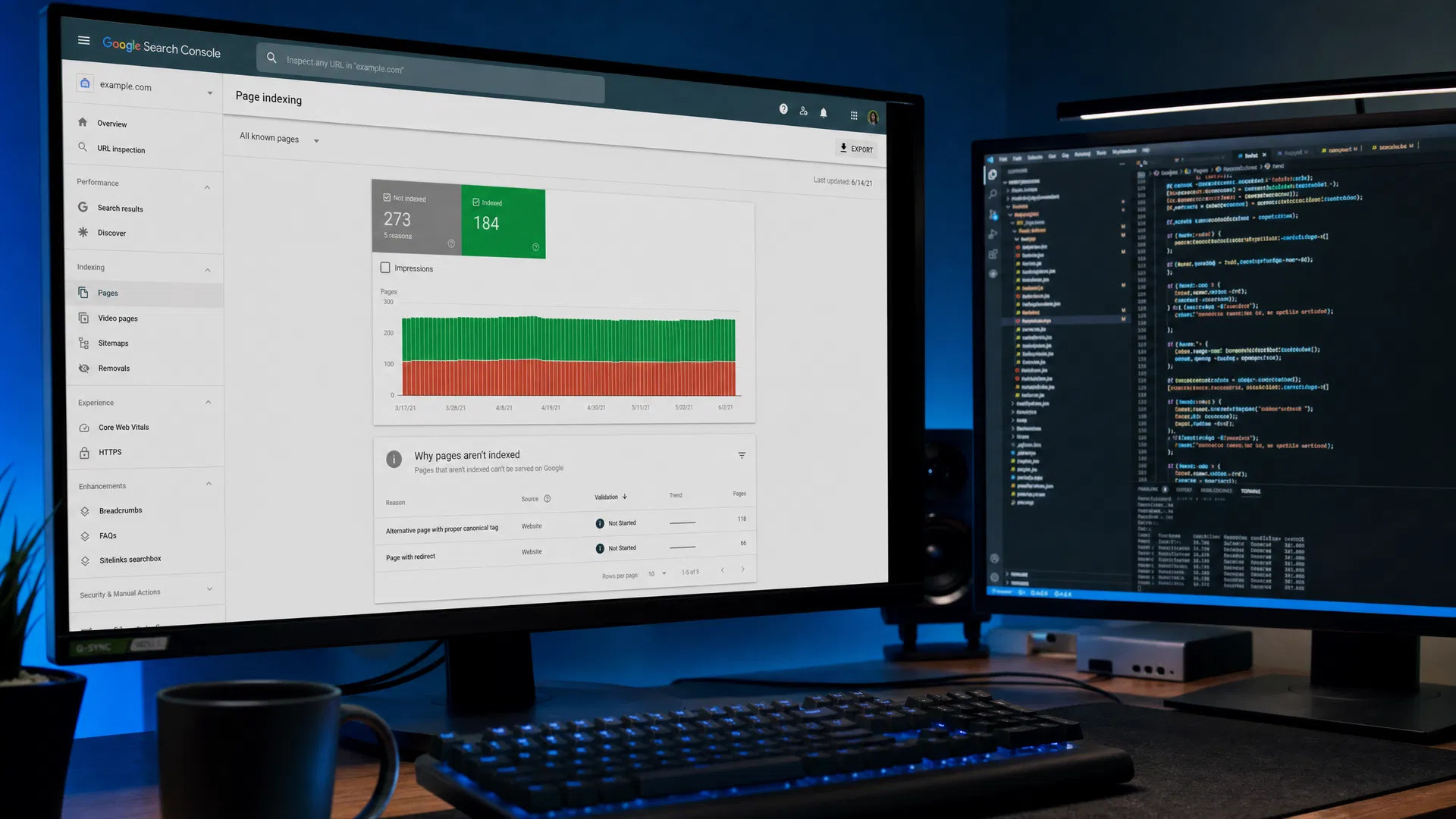
Forcing a page's indexing is a one-off action, but keeping a site fully indexed is a long-term effort. Setting up regular monitoring is crucial. Check the "Page indexing" report (formerly "Coverage") in Google Search Console every week to spot new indexing errors, excluded pages and crawl anomalies.
Analyze the trends: a sudden increase in "Crawled – currently not indexed" pages often points to a sitewide content quality problem, while a rise in 404 errors signals internal linking issues or poor handling of outdated URLs. Being proactive is the key to SEO success.
Key takeaway: indexing is never permanent. Google can remove pages it considers outdated or low quality from its index. Maintaining your visibility requires constant monitoring and regular optimization.
| Search Console status | Meaning | Recommended action |
|---|---|---|
| Discovered – currently not indexed | Google knows the URL but hasn't had the time or budget to crawl it. | Improve internal linking, reduce depth, optimize crawl budget. |
| Crawled – currently not indexed | Google visited the page but decided not to index it (often a quality issue). | Improve content quality, check for duplicate content, add unique value. |
| Blocked by robots.txt | Crawling is forbidden by your own rules. | Check the robots.txt file and change the directives if you want the page indexed. |
| Excluded by "noindex" tag | The page contains a directive that forbids indexing. | Remove the noindex meta robots tag or the corresponding X-Robots-Tag HTTP header. |
The impact of AI on the future of indexing
The integration of generative AI into search, notably with AI Overviews (which grew out of the SGE, Search Generative Experience), comes on top of a long-standing demand for quality. Google doesn't just read keywords: its systems try to assess how helpful each piece of content is, and its search quality rater guidelines describe the E-E-A-T criteria (experience, expertise, authoritativeness and trustworthiness).
To help your pages get indexed in this new ecosystem, you must produce content that goes beyond simple rewording. Expert opinions, original data, real case studies and genuine human added value have become the main differentiator. Sites that mass-publish automatically generated text without editorial oversight risk having part of their pages ignored: Google's policy against scaled content abuse (2024), which targets content produced at scale with no added value, is aimed precisely at these practices.
Take things to the next level with Zerkado
Managing indexing, from technical audits to rank tracking, calls for integrated tools. Zerkado, built for agencies and SEO professionals, brings together the technical audit (robots.txt, sitemap, noindex and canonical tags, HTTP status codes), rank tracking and Search Console data. That way you can diagnose indexing problems faster and follow the effect of your fixes.
Don't leave your quality content in the shadows of search engines any longer. Take control of your organic visibility today: explore our pricing for agencies of every size, or try Zerkado for free for 14 days, no credit card required.